Project management is an art that requires meticulous planning and rigorous monitoring to ensure the success of each initiative. Teambook, a popular resource management software, offers a complete solution to make this task easier.
In this tutorial, we’ll explore how to use Teambook to plan, monitor and optimise your projects from start to finish.
The benefits of a corporate project planning and tracking tool
Using a project planning and tracking tool like Teambook offers a host of benefits, particularly in terms of optimising resource management and maximising project efficiency. Firstly, it centralises all relevant information, providing a clear and accessible overview of all projects and resources. This not only facilitates informed decision-making based on reliable data, but also enables improved communication and collaboration within teams.
In addition, the ability to track hours worked, planned times and project progress in real time helps prevent cost overruns and delays, while ensuring optimal resource allocation. Teambook’s features, such as visual resource planning, time tracking and skills management, enable managers to navigate skilfully through the complexities of multiple projects, ensuring that objectives are met efficiently and effectively.
In short, Teambook is a strategic ally for any organisation wishing to prosper in its projects while maintaining operational harmony.
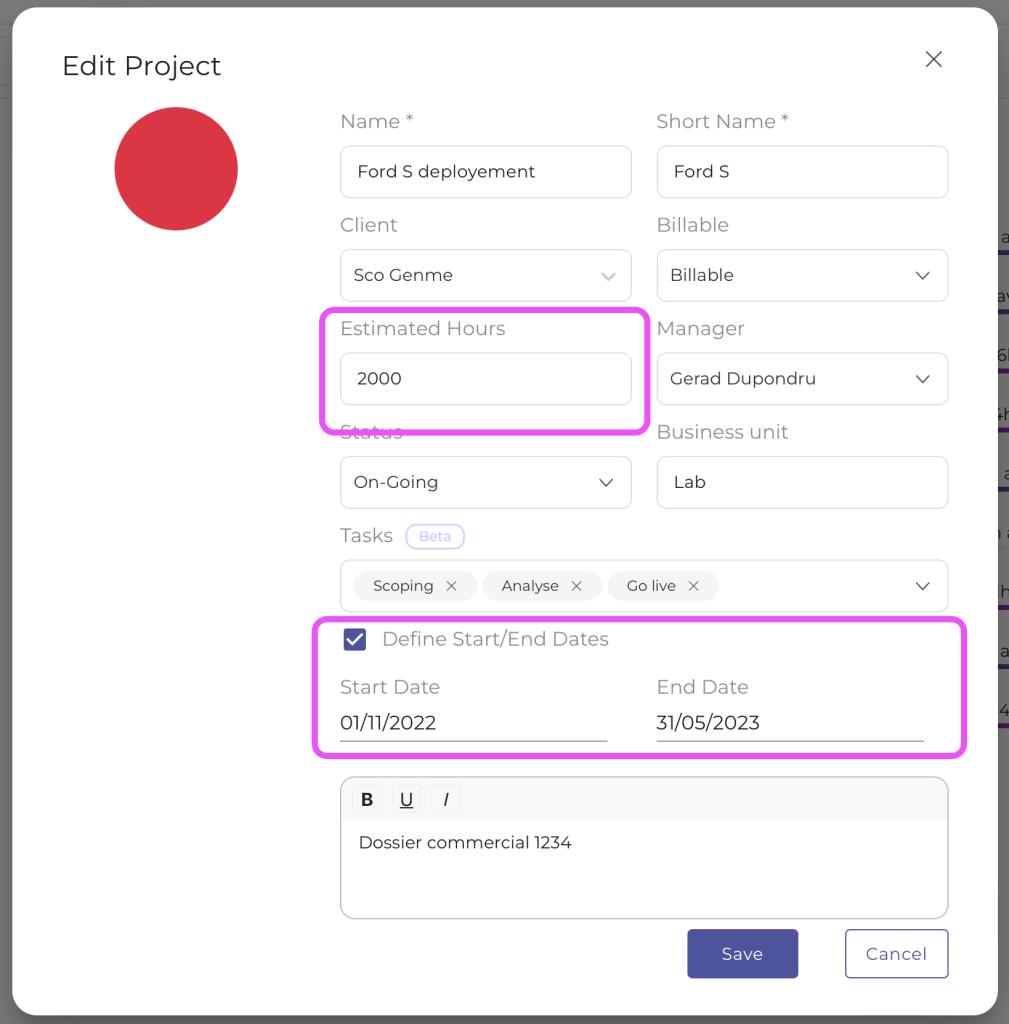
Step 1: Creating projects
- Define project parameters: Create a new project by specifying details such as start date, end date and time budget.
- Budget allocation: Allocate an hourly budget for each project to effectively manage resources and control costs.
Step 2: Regular resource planning
- Weekly/monthly planning: Make sure you plan your project resources on a regular basis, whether weekly or monthly, to maintain alignment with project objectives.
- Skills and availability management: Use Teambook to visualise the capacity and skills of each team member so you can allocate them wisely to tasks.
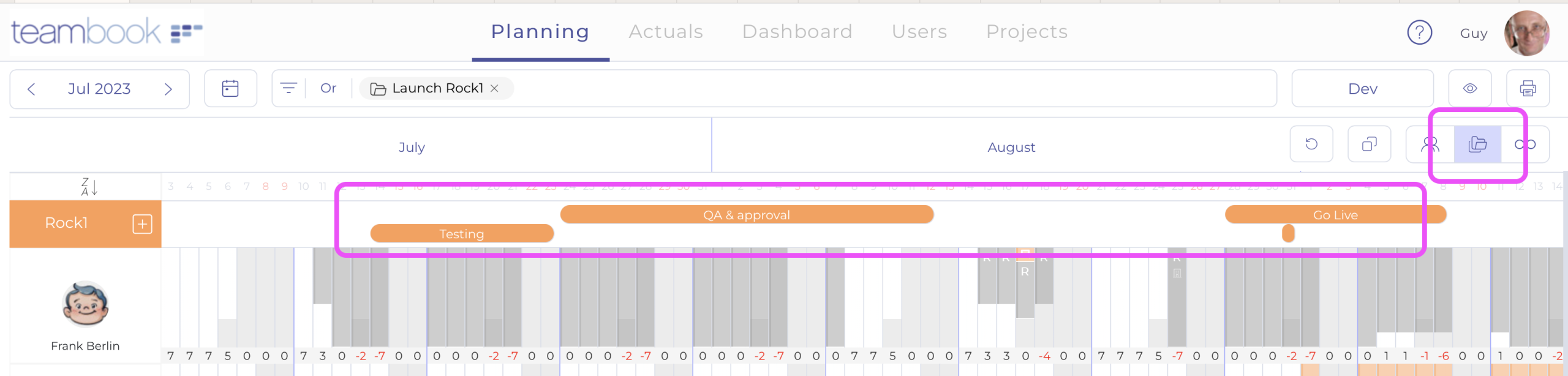
Stage 3: Entering milestones and adapting planning
- Mark Milestones: Use the “Milestones” feature to mark the major stages of each project and provide a clear visualisation of progress.
- Scheduling Adjustment: Adjust resource planning based on milestones and project changes to ensure smooth execution.
Step 4: Preventing and managing overbooking
- Scheduled Hours View: When planning each slot, Teambook displays the hours already scheduled, providing a summary view that helps prevent overbooking.
- Proactive adjustments: Use this information to make proactive adjustments and avoid overloading team members.
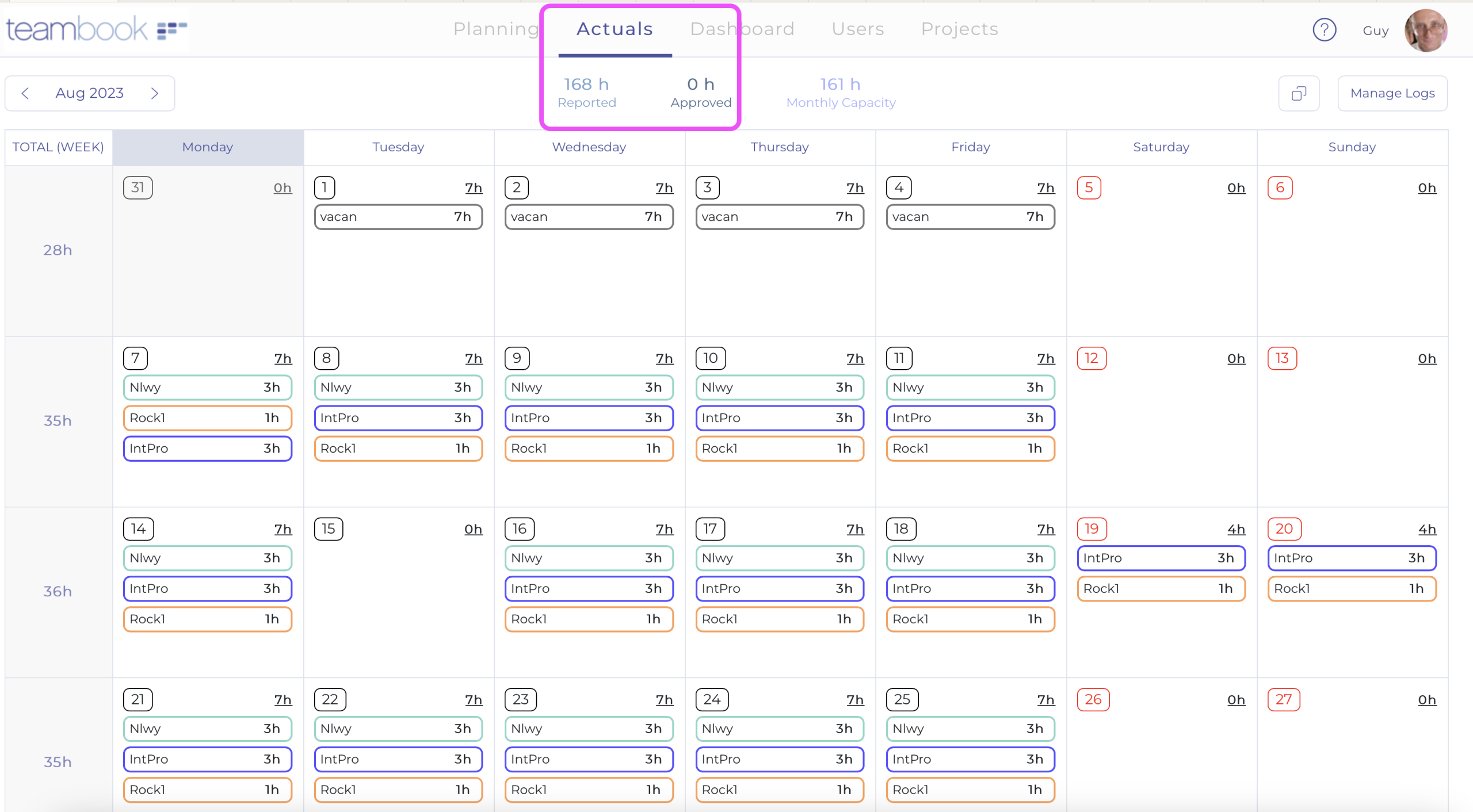
Step 5: Tracking actual hours
- Entering Hours: Encourage your consultants to regularly enter the hours actually spent on projects.
- Preparing for Invoicing: This practice not only facilitates accurate tracking of time spent, but also prepares invoicing for “time & material” projects.
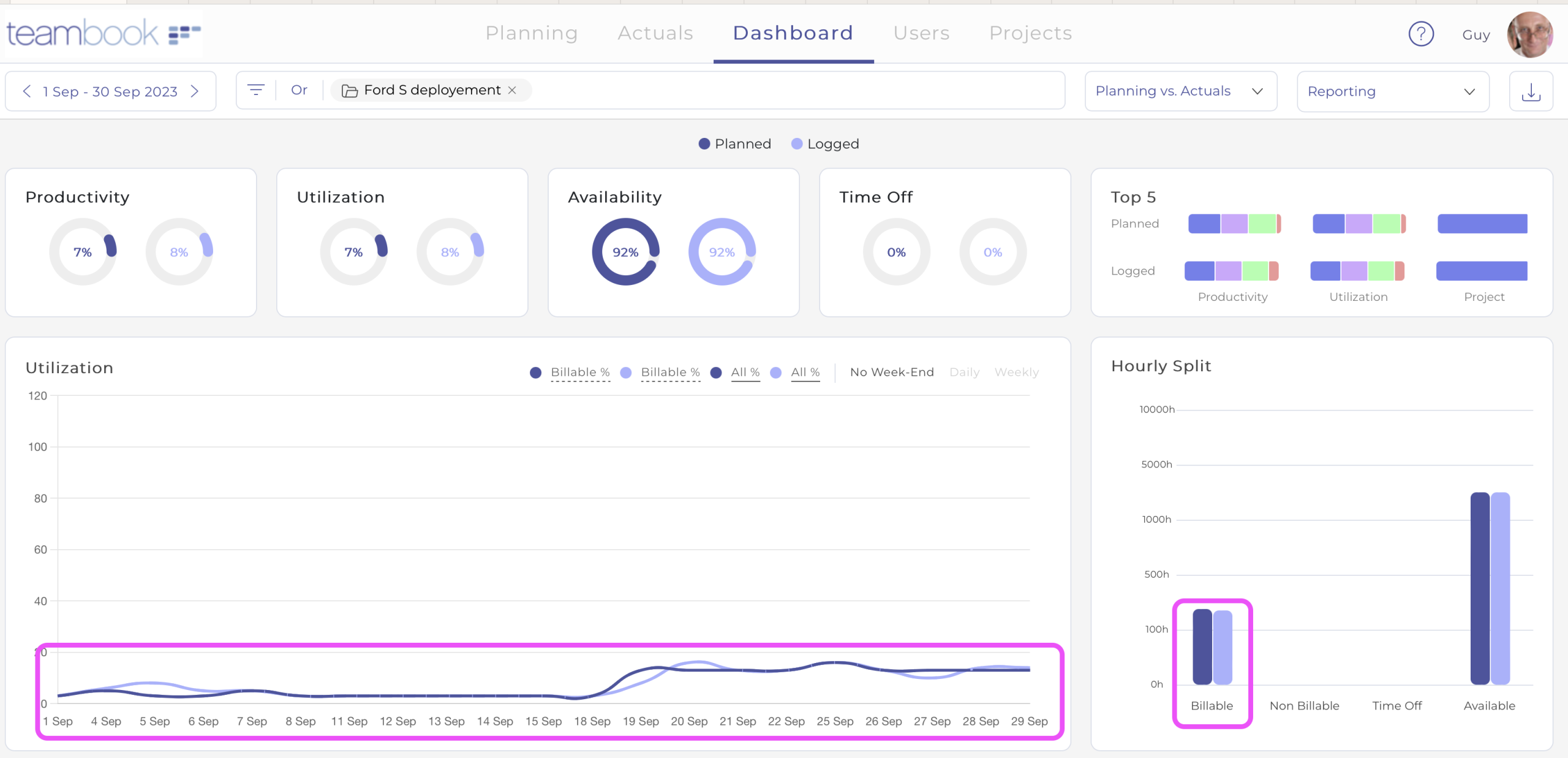
Stage 6: Reporting and budget monitoring
- Using the Dashboard: Access the dashboard and dedicated reports to track budgets and actual times, project by project.
- Cost Analysis: Compare estimated and actual costs for each project and use this data to improve the accuracy of your future estimates.
Conclusion
Teambook stands out as an invaluable tool for project managers and teams, offering a centralised platform for resource planning, time tracking and budget management. By following this step-by-step guide, you can maximise Teambook’s functionality to ensure the success of your projects, while optimising resource management and improving collaboration within your team.
Don’t forget that the key to success lies in consistently applying best practice and adapting flexibly to change throughout the project journey. Happy project management with Teambook!