In today’s professional world, overwork is a common problem that can affect employee productivity and well-being. Fortunately, with tools like Teambook, it is possible to optimise the allocation of resources to prevent this problem.
In this article, we’ll take you step-by-step through how to use Teambook effectively.
1. Create your users
Start by adding each member of your team as a user in Teambook. If some of them work part-time, specify their working hours. Teambook does not charge per user, so feel free to add all your staff, including subcontractors, while controlling their access using authorisations.
2. Automatic public holidays
Teambook includes your country’s public holidays by default. If you have employees abroad, you can adjust the public holidays according to their location using the automatic functions.
3. Plan “non-project time
It’s essential to take holidays, meetings, training and other non-project events into account. Use Teambook’s “time off” slots for this.
4. Regular planning
Plan your project resources regularly. Each member’s availability is clearly indicated in Teambook, taking into account slots already booked and part-time work.
Use recurring bookings to manage repetitive tasks efficiently.
5. Encourage self-planning
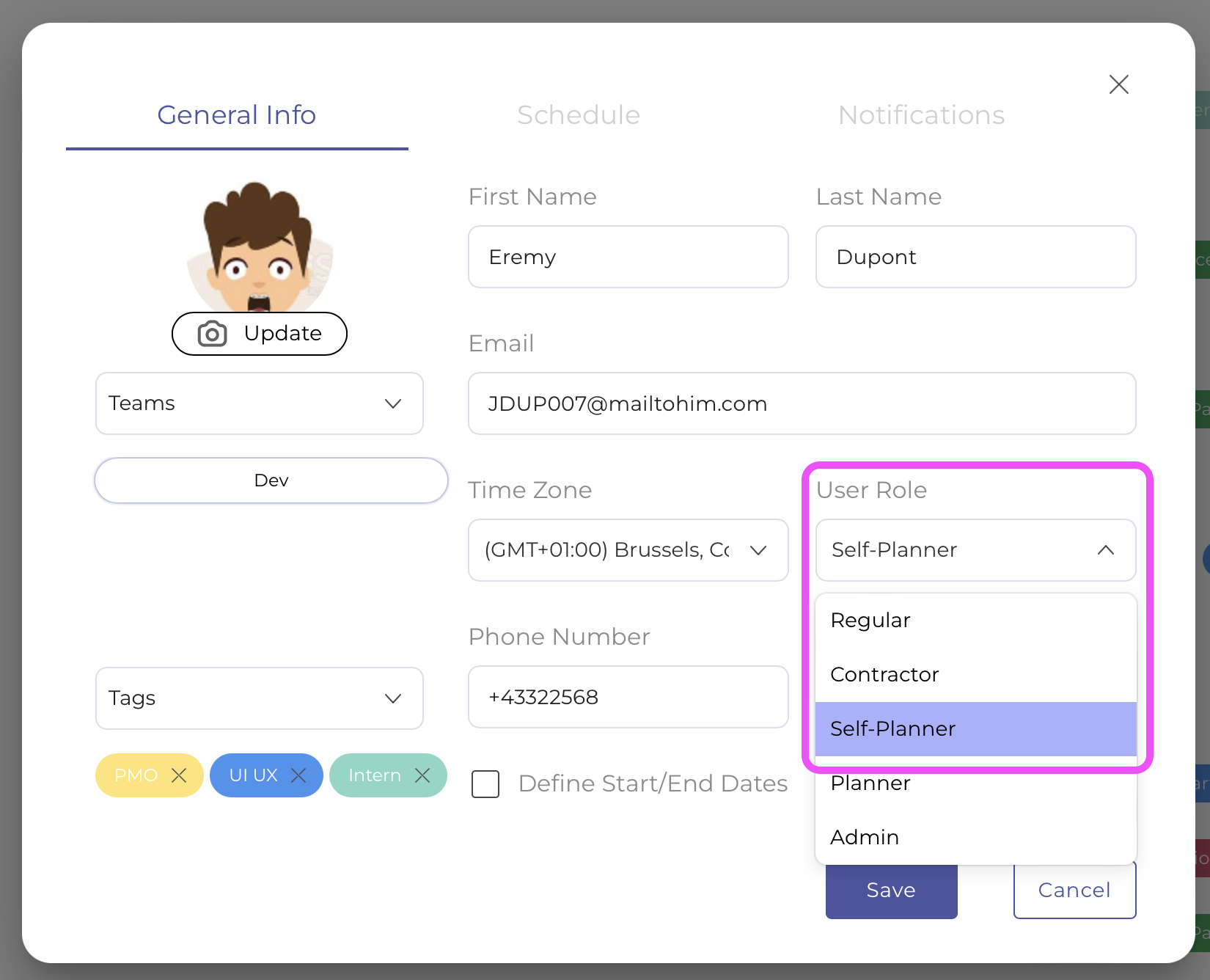
Allow your employees to plan their own activities by giving them the role of “self-planner”. This gives them a sense of responsibility and enables them to manage their time independently.
6. Monitor work overloads
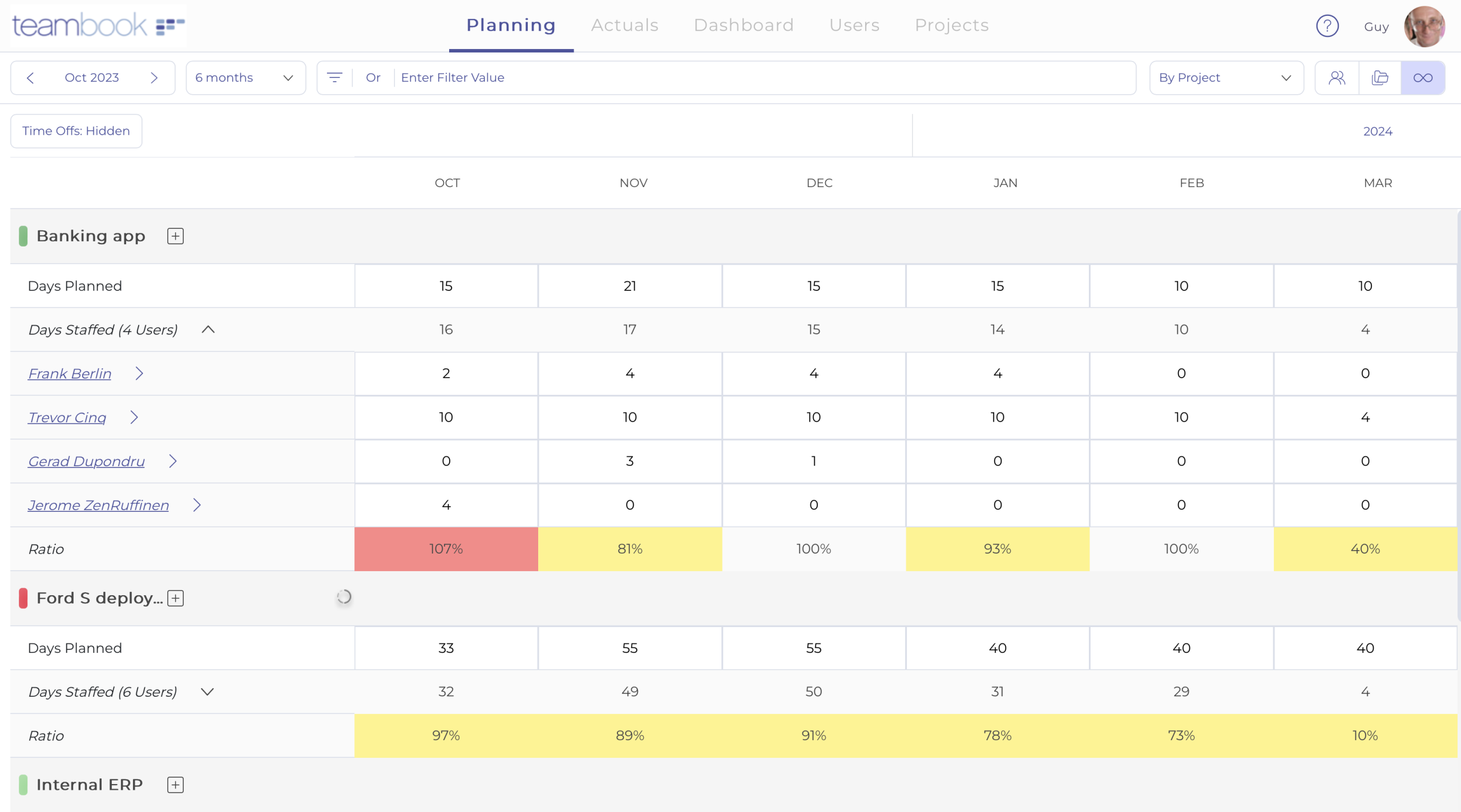
Work overloads are clearly indicated in red in Teambook. If there is an overload, adjust the bookings or move them using the “drag & drop” function.

7. Use the Dashboard
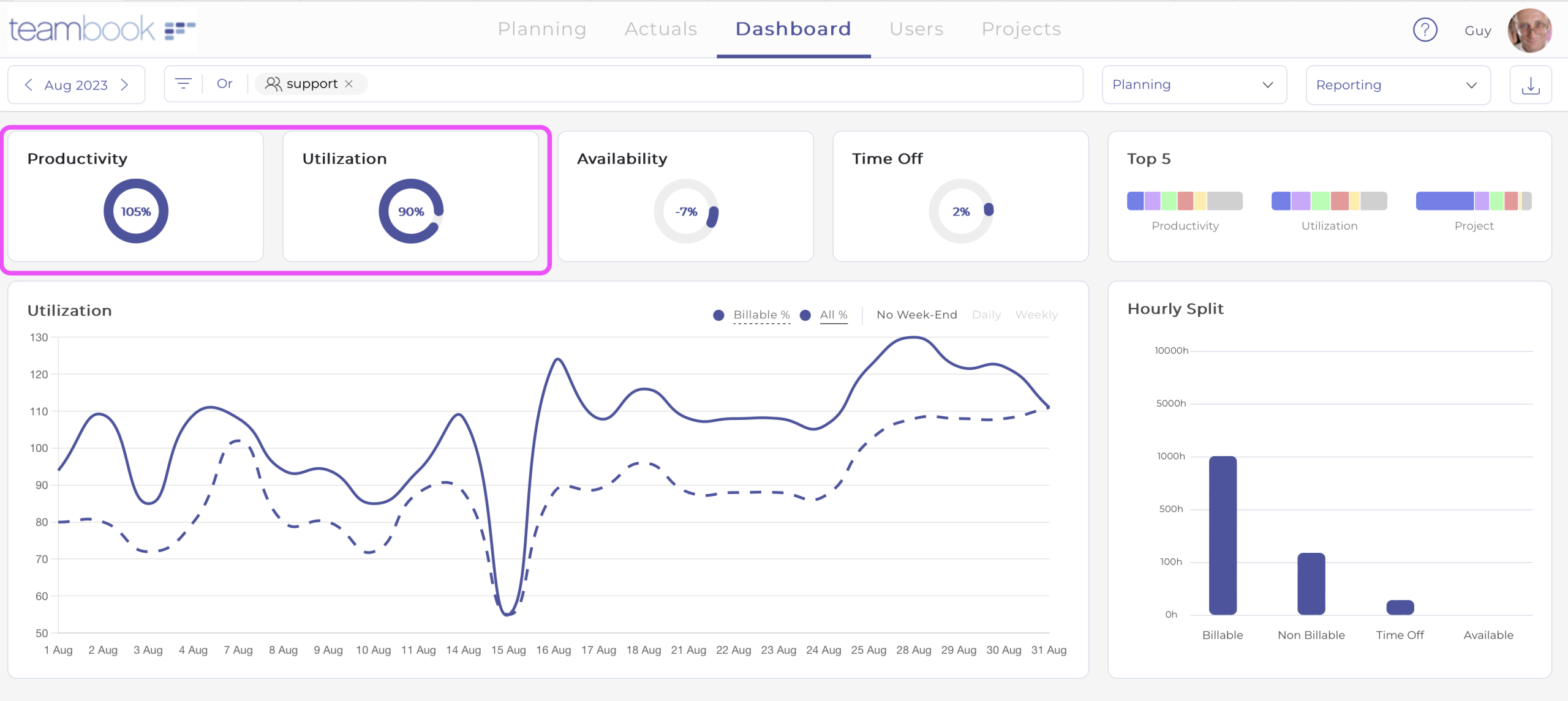
Teambook’s dashboard lets you monitor key indicators such as productivity and usage. Indicators that are too high may indicate overload.
8. Medium- to long-term capacity management
Teambook lets you plan and visualise expected workloads over a period of 6 to 24 months. Ensure consistency between projects and resources.
9. Last but not least: corporate culture.
Finally, don’t forget the importance of corporate culture. Value the well-being of your teams and promote work-life balance.
Conclusion
With Teambook, optimising resource allocation and preventing overwork just got easier. By following these steps, you’ll be able to create a harmonious and productive working environment. Take care of your team, and they’ll take care of your projects!