





Your entire team's schedule at a glance
Plan and schedule your team across projects with a clear, visual planning board.
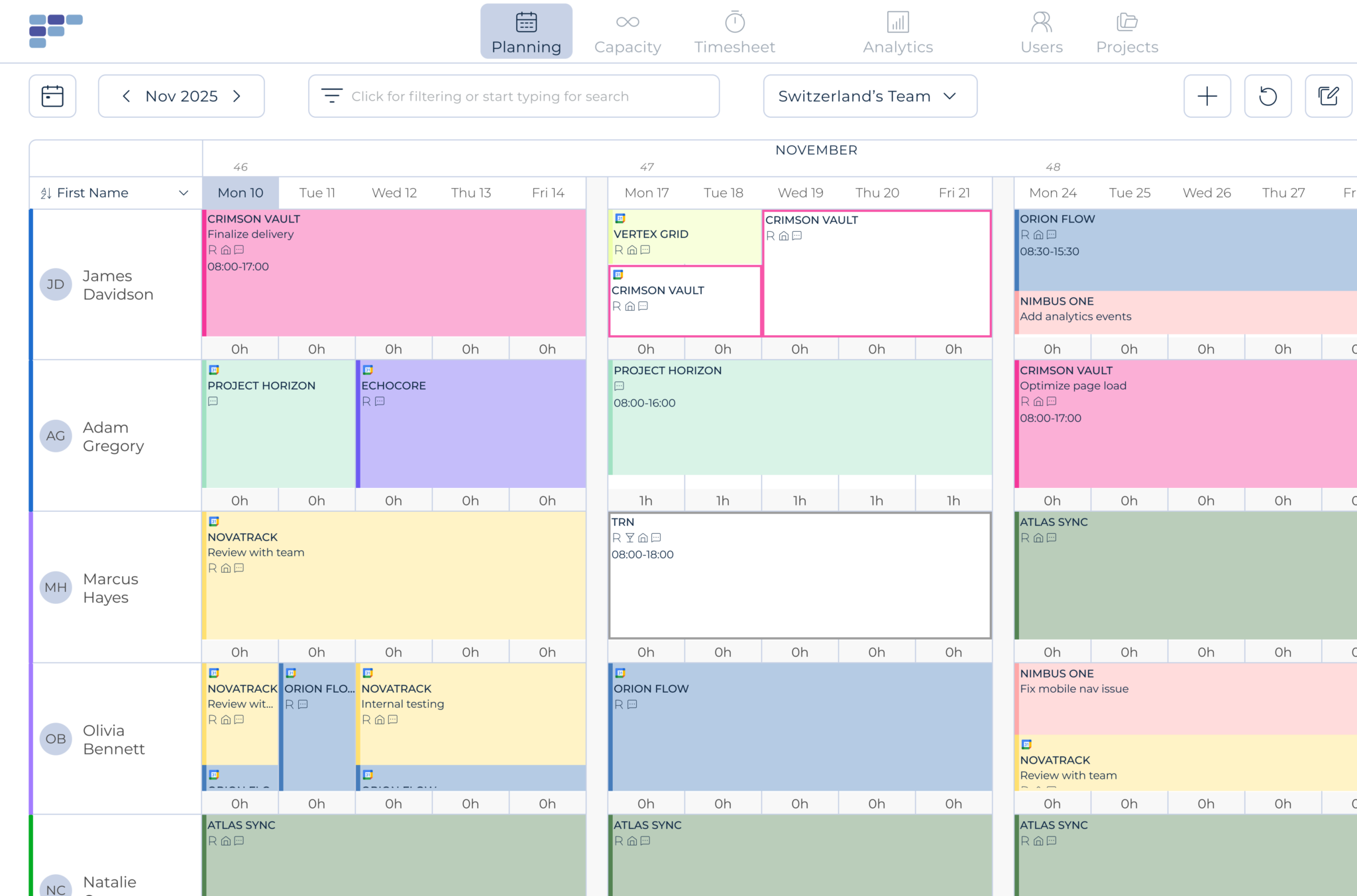
One screen, complete clarity
Quick Allocations
Assign work in seconds, not hours
Allocate one or more team members with a simple click or drag and drop. Set up recurring assignments to save time on repetitive scheduling. When plans change - and they always do - group updates and drag-and-drop make adjustments fast.
Monitor project budgets in real time as you allocate. Simple, intuitive planning that actually works.
Project Demand View
Know what your projects actually need
View your schedule by team member to see individual workloads, or switch to project view to see everyone assigned to a specific project. Toggle between perspectives instantly to get exactly the view you need.
Mark assignments as tentative when timing isn't confirmed. Add project milestones to focus resource allocation at the right moments."
Tasks & Comments
Add context to every assignment
Qualify each booking by selecting from pre-defined tasks or adding comments. Your team sees not just when they're working, but what they're working on, without digging through emails or project tools.
Real-Time Updates
Everyone stays in sync
Changes show up instantly for everyone. Team members can view their schedules on screen, in their synced calendar, or via email notifications. No more outdated spreadsheets or 'I didn't know about that' surprises.
What changes when planning is clear
Faster staffing decisions
See availability instantly. Assign the right people in minutes, not hours.
Fewer scheduling conflicts
Visual workload indicators show overallocation before it becomes a problem.
Less time in meetings
When everyone can see the plan, you spend less time explaining it



See how much is poor project resource planning costing you
Try our project resource calculator and find out how to optimize your resource management. Share your email and discover how Teambook can improve your topline.

Connected to your planning
Capacity Management can pull data directly from your operational planning in Teambook. No double entry, no syncing spreadsheets. Your day-to-day scheduling and your long-term forecasting live in one connected system.

“Pragmatic planning tool! Very intuitive to use, sync with calendar so staff always have the latest schedule, can easily interface with other tools, good management report (forecast, bookings levels, etc.)”
- Pierre L
- IT Consulting
See how easy planning can be



Frequently asked Questions
What are the main features of a resource management tool for management teams?
Resource management software for management teams offers several key functionalities, including task planning, calendar management, project tracking and team collaboration. It can also manage and optimise resource allocation and generate reports to analyse team performance.
How can a resource management tool help to improve task planning?
Resource management software facilitates task planning by enabling management teams to view all assigned tasks, identify priorities and allocate resources efficiently. It also offers time tracking, notifications and reminders to ensure deadlines are met.
How does a resource management software facilitate team collaboration?
A resource management platform promotes team collaboration by providing a centralised (or team-based) planning tool that is synchronised with the calendars of each project player. It enables team members to work together seamlessly, exchange information and collaborate effectively on projects, whether you’re an agency, an IT services company or a construction services company.
Do the resource management tools offer functionalities for managing human resources?
Yes, some resource management software for management teams includes specific functionality for managing human resources. This makes it possible to monitor the skills and availability of team members, manage leave and absences, assess individual performance and plan assignments based on the team’s capabilities and needs.