

Effective team collaboration and communication are essential. Teambook, our capacity management software, offers innovative solutions to meet these challenges.
This 5-step tutorial explores how Teambook facilitates team collaboration and communication.
1. A central planning screen with Teambook
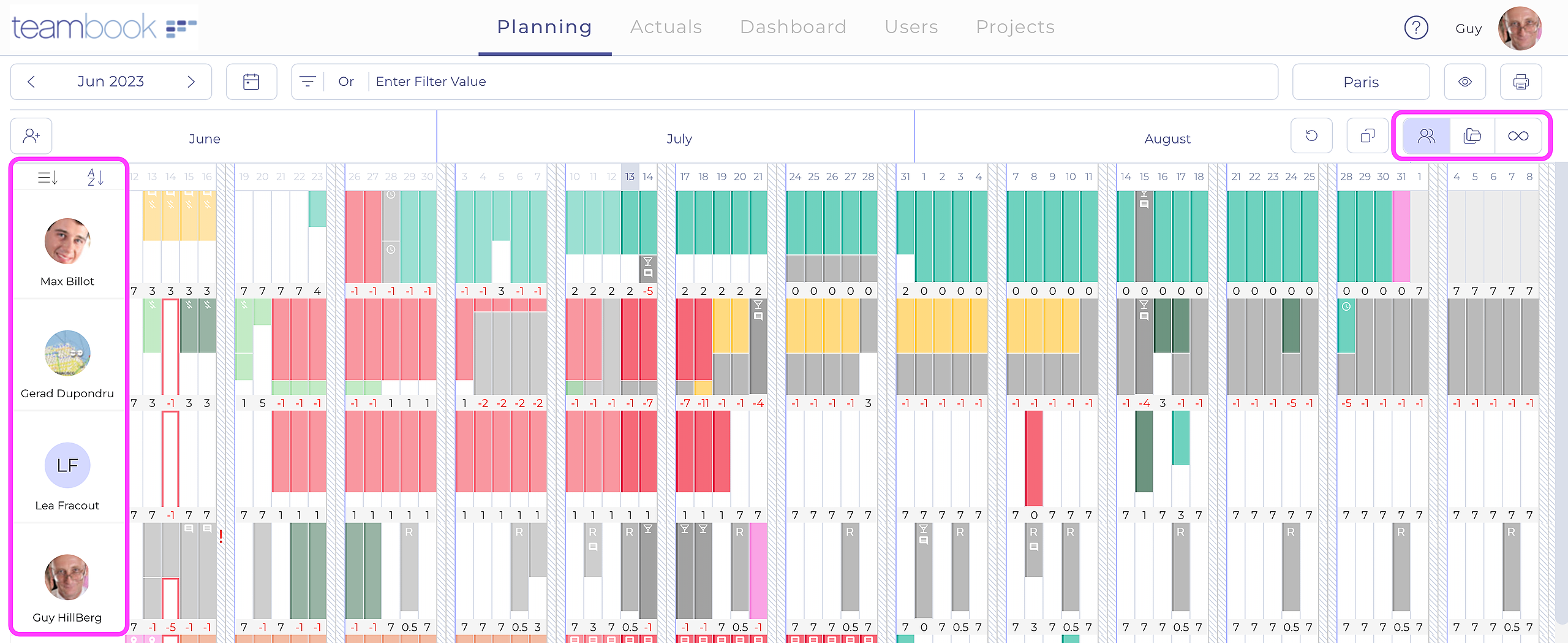
Teambook offers a central planning screen, a powerful tool for planners and team members. This feature gives each member of staff an overview of the team’s tasks, promoting a better understanding of shared objectives and deadlines. This transparency ensures that everyone is informed and aligned with the team’s priorities.
2. Autonomy in planning management
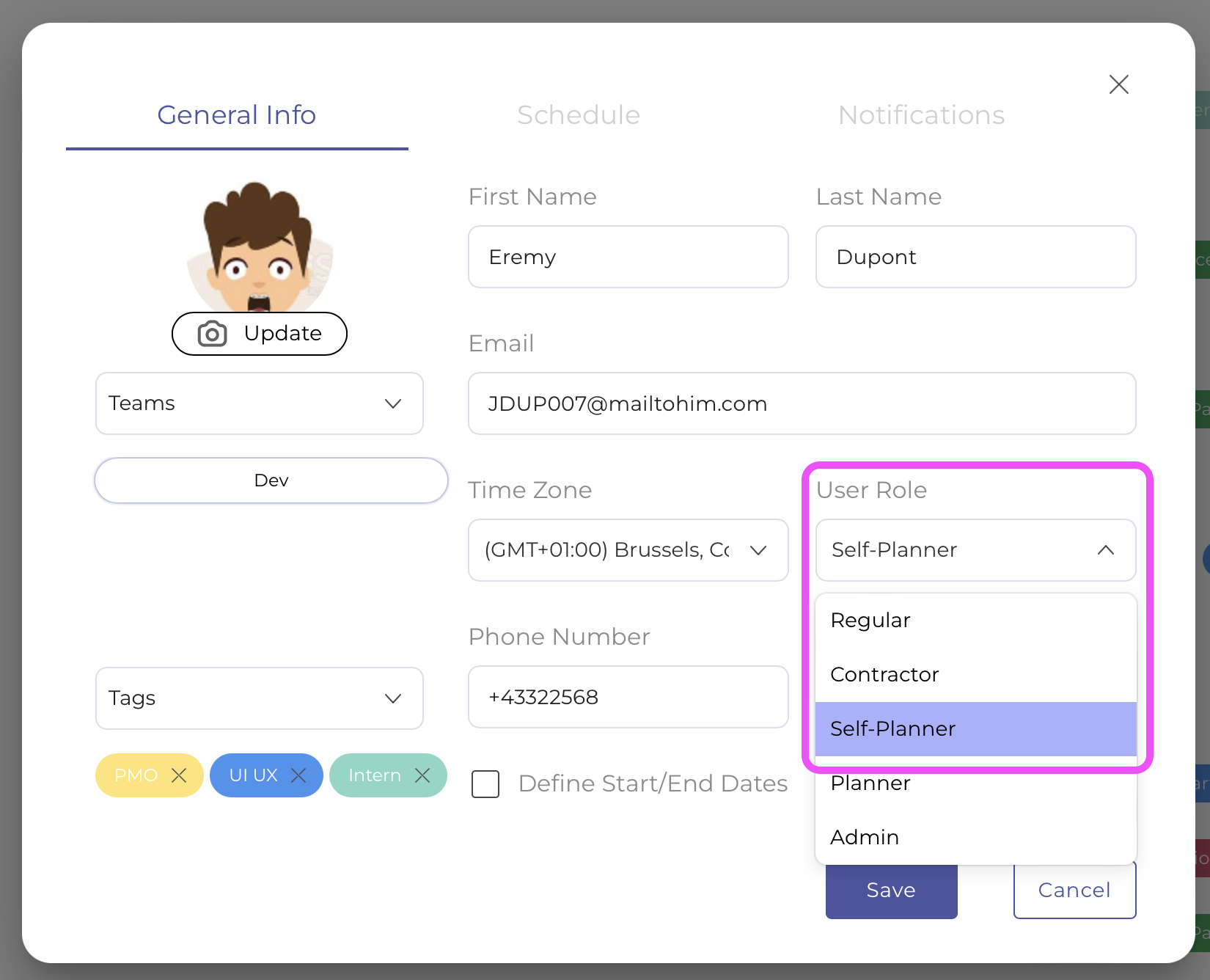
In organisations that value autonomy, Teambook gives employees the opportunity to manage their own planning through a “self-planning” role. This approach encourages personal initiative and direct collaboration between colleagues, enabling more dynamic and adaptive management of activities.
3. Optimisation using user tags
Tags in Teambook are a major asset for planning managers. They enable users to be filtered according to criteria such as skills, optimising the team’s workload. These tags also ensure adequate coverage of the varied needs of a project, facilitating collaboration and efficiency within the team.

4. Improved communication via Teambook
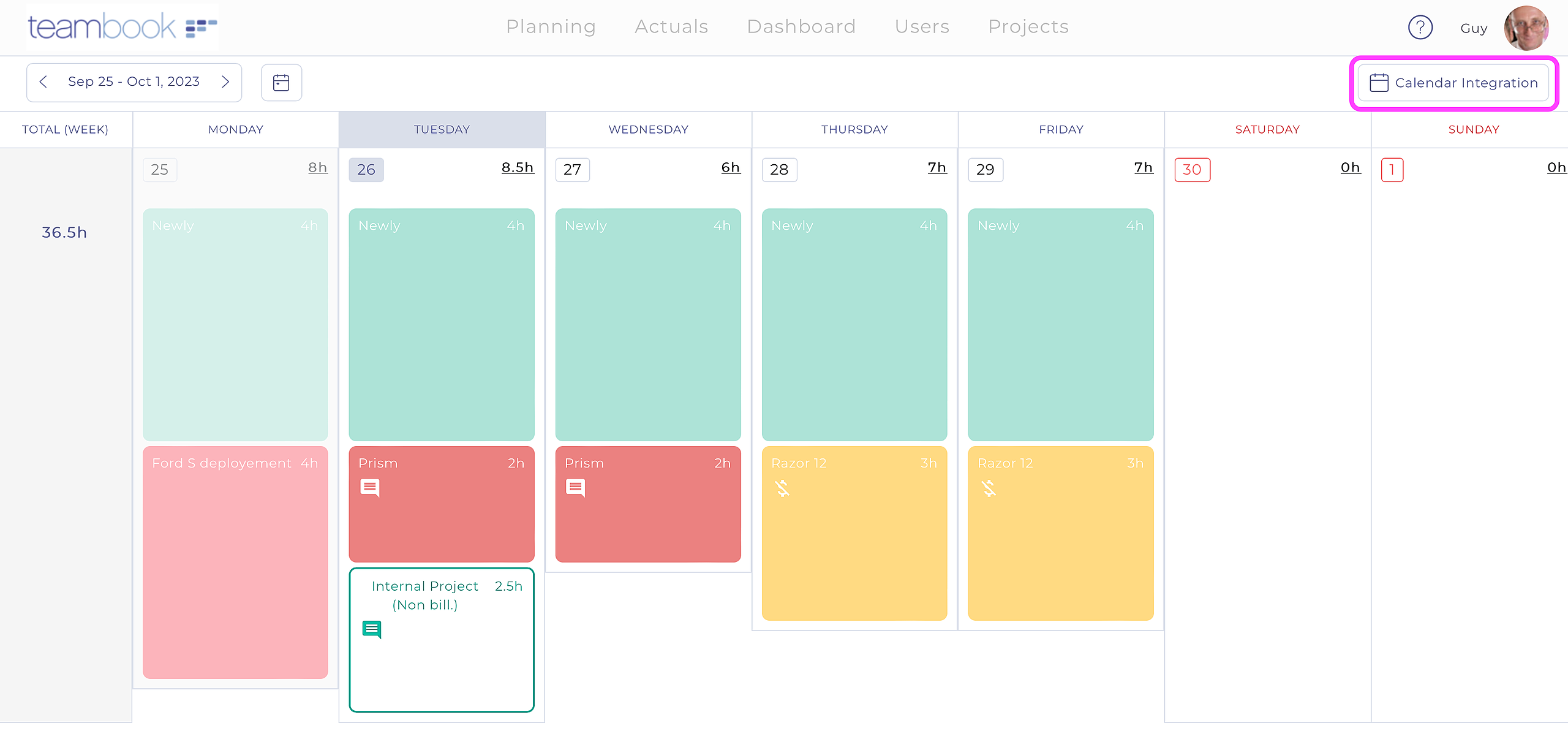
Teambook improves communication by enabling planning information to be transmitted easily. Whether it’s viewing the planning screen directly, consulting the “My week” tab, synchronising calendars, or sending email notifications, Teambook ensures that every member of the team stays informed and connected.
5. Integration of subcontractors and communication with customers
Planning in Teambook is also accessible to subcontractors, with appropriate confidentiality restrictions. They can synchronise their calendar and receive notifications, just like standard resources.
Additionally, Teambook can generate a URL link to share the information with customers, promoting transparency and expanding collaboration beyond the internal team.
Conclusion
Teambook is more than just a resource management tool; it’s a complete solution for improving collaboration and communication within teams.
By providing a clear overview, encouraging autonomy, optimising skills, and facilitating internal and external communication, Teambook ensures that every member of the team understands their role and contributes effectively to the collective success.
Adopting Teambook means choosing harmonious, high-performance project management. Try it now!