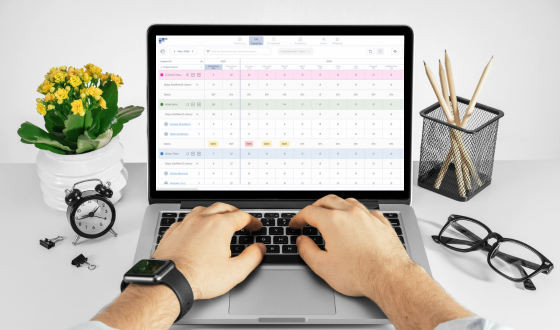

Capacity planning software helps teams understand how much work they can realistically take on and how to allocate resources efficiently across projects. It provides visibility into team availability, workload, and future demand, allowing organizations to plan ahead instead of reacting to bottlenecks.
At its core, capacity planning is about answering a simple question:
Do we have the right people, with the right skills, available at the right time?
Capacity planning software makes this answer visible and actionable.
If you are already exploring tools, you can also review our guide to the best capacity planning software to compare available solutions.
How capacity planning software works
Capacity planning software connects three key elements:
- Resources (people, skills, roles)
- Work (projects, tasks, deadlines)
- Time (availability, schedules, forecasts)
By combining these, the software gives a real-time view of how work is distributed and whether teams are overbooked or underutilized.
Most tools allow teams to:
- assign resources to projects
- visualize workload across teams
- forecast future capacity
- adjust plans dynamically as priorities change
Instead of relying on static spreadsheets, teams can continuously update and adapt their plans.
Tools like Teambook help teams visualize capacity, assign resources, and adjust plans in real time through a clear and intuitive interface.
Why capacity planning software matters
Without proper planning, teams often face overloaded employees, missed deadlines, and inefficient use of resources.
Capacity planning software helps prevent these issues by providing structure and visibility. It is especially important for teams managing multiple projects, companies with shared resources across departments, and organizations where demand changes quickly.
By planning capacity effectively, teams can improve delivery reliability and reduce operational stress.
Key features of capacity planning software
While tools vary, most capacity planning software includes a core set of capabilities.
Resource planning
Assign the right people to the right work based on availability and skills. This helps avoid overloading individuals and ensures balanced workloads.
Workload visualization
Understand who is busy, who is available, and where bottlenecks might occur. Visual tools such as timelines or heatmaps make this easier to interpret.
Forecasting
Plan future capacity based on upcoming projects and expected demand. This helps teams anticipate hiring needs or reallocate resources early.
Scenario planning
Test different planning options before making decisions. For example, what happens if a project is delayed or a new client is added?
Reporting and insights
Access data on utilization, performance, and planning accuracy to improve decision-making over time.
Capacity planning software vs spreadsheets
Many teams start with spreadsheets, but they quickly reach limitations as complexity increases.
Spreadsheets require manual updates, lack real-time visibility, and are prone to errors. Capacity planning software, on the other hand, updates automatically, provides shared visibility, and supports dynamic planning.
For small teams, spreadsheets may be sufficient. For growing or complex environments, software becomes essential.
Who should use capacity planning software?
Capacity planning software is useful for any organization that needs to manage resources across multiple projects.
Typical use cases include agencies managing client work, consulting teams allocating billable hours, product teams coordinating development resources, and operations teams planning workforce capacity.
The more complex the workload and resource structure, the greater the value of dedicated planning tools.
When do you need capacity planning software?
You likely need capacity planning software if you manage multiple projects at the same time, share team members across projects, or struggle with overbooking and idle time.
If planning decisions rely heavily on guesswork or spreadsheets become difficult to maintain, software provides structure and clarity.
Conclusion
Capacity planning software helps organizations move from reactive to proactive planning. Instead of constantly adjusting to problems, teams can anticipate demand, allocate resources effectively, and maintain a balanced workload.